DesiHeart - Express AI: An AI-powered augmentative & alternative communications (AAC) app to support neurodiverse users in expressing tone & emotion
Designing clear, user-centric, accessibility focused look for a complex product.
Team
1 CEO
1 design lead
6 designers
Role
UX Researcher
UX/UI Designer
Challenge
Design an AI-powered AAC app that not only enables communication, but also brings in accessibility, emotional expression, and personalization, helping users share their voices with authenticity and confidence.
DesiHeart is a nonprofit supporting neurodiverse students in developing emotional expression, communication, and confidence.
Many rely on augmentative and alternative communication (AAC) devices that are expensive, hard to learn, and limited in voice and personalization.
Why it mattered
Solution
Through competitive analysis, we identified a gap in the AAC market. In response, we designed ExpressAI, an AI-powered AAC app that is affordable, easy to navigate, and accessible, enabling non-verbal users to express not only words, but emotion and personality with confidence.
Context
Access: Costly AAC tools exclude the families who need them most
Time: Steep learning curves waste critical developmental time
Humanity: Robotic voices reduce communication to commands, not self-expression
Finding the gaps in the market
Synthesizing competitive analysis and real user feedback revealed clear gaps in the AAC market. These findings directly shaped ExpressAI’s design strategy, prioritizing simplicity, accessibility, and emotional expression.
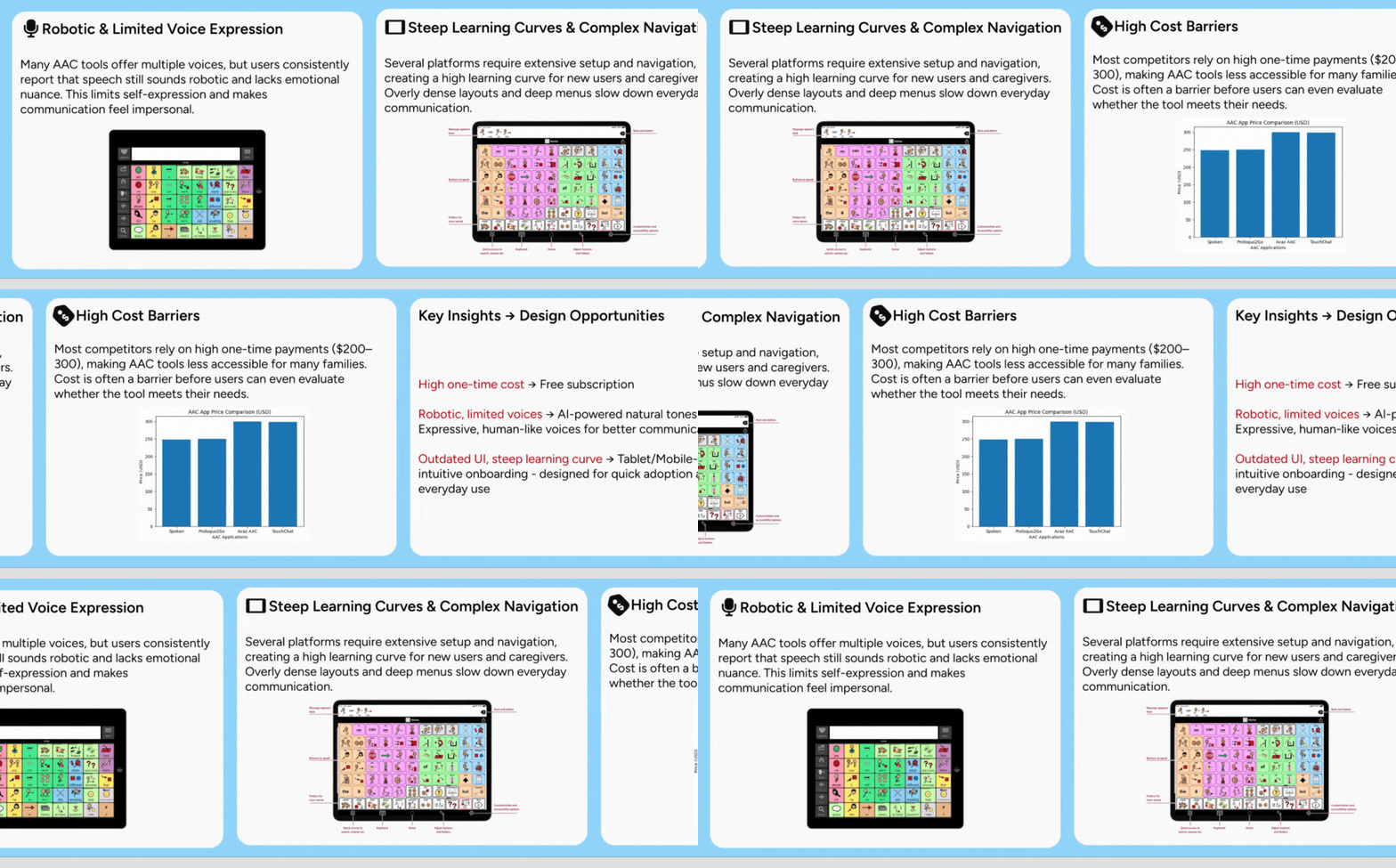
Why: Early clarity on user pain points guided our designs toward removing barriers, not reinforcing them
Defining the MVP vocabulary & User flow
Built a vocabulary system that prioritizes speed, learnability, and expression by:
Centering high-frequency core words
Using clear, predictable categories
Balancing power words with personalization
Allowing room to grow as skills develop
Result: Faster communication with a foundation for long-term language growth
MVP Vocab Flow
Why: Vocabulary organization directly affects learnability, speed, and user confidence
User Flow: Communication needs to be fast, predictable, and low-effort, especially for new AAC users
Reduced the number of steps required to say something meaningful
Prioritized a clear “home base” so users always know where they are
Designed predictable navigation patterns to support motor planning
Minimized decision points to lower cognitive load
Result: A simple, predictable user flow that enables faster communication and easier learning for new users
Say ‘Bathroom’ User Flow
Why: Simplifying the flow was critical to making the MVP usable from day one
Designing the MVP structure
Built a clear, scalable foundation for the MVP by focusing on structure over polish
Defined a single, predictable home base for communication
Established clear hierarchy between core actions and secondary paths
Reduced branching to keep flows easy to learn and repeat
Designed layouts that support consistency across screens
Result: A structured MVP that feels simple to use today and flexible enough to evolve with user needs
Home Screen Evolution
Why: The original home screen created unnecessary navigation friction and increased error risk for users with limited motor control.
Changes:
Standardized UI components
Introduced persistent side navigation for core actions
Optimized icon placement and tap targets.
Result: Improved navigation efficiency, reduced cognitive load, and enabled more accurate, motor-efficient interactions.
Typography, icons, components, color palette
Why: A strong foundation was essential to validate the MVP with real users
From sketches to prototypes
*minimum 20px body text for readability on tablets
*Icons adhere to accessible touch targets (≥ 44px), maintain consistent stroke weight, and use color only to indicate urgency or critical action
*tap targets meet WCAG 2.5.5
*FITZ AAC Key used to reinforce syntax learning through consistent visual cues
Why: Establishing a reliable, accessible home screen was critical before validating the MVP with users
Add a New Word — Flow Iteration
Why: Caregivers needed a clearer, more predictable way to add vocabulary without hesitation or confusion.
Changes:
Simplified the step-by-step flow
Aligned interactions to the design system
Added guidance cues
Improved accessibility through larger tap targets and reduced scrolling
Result: Created a faster, more confident workflow for caregivers, especially in time-sensitive or high-cognitive-load situations.
Typography, icons, components, color palette
Why: A strong foundation was essential to validate the MVP with real users
*minimum 20px body text for readability on tablets
*Icons adhere to accessible touch targets (≥ 44px), maintain consistent stroke weight, and use color only to indicate urgency or critical action
*tap targets meet WCAG 2.5.5
*FITZ AAC Key used to reinforce syntax learning through consistent visual cues